
Blog
Decap Turbo Is Generally Available
Decap Turbo is out of public preview and part of the stable Decap CMS release from 3.17.0. Editors can sign in without a Git or a Netlify Identity account, large collections load faster, roles, S3 media library, and more.
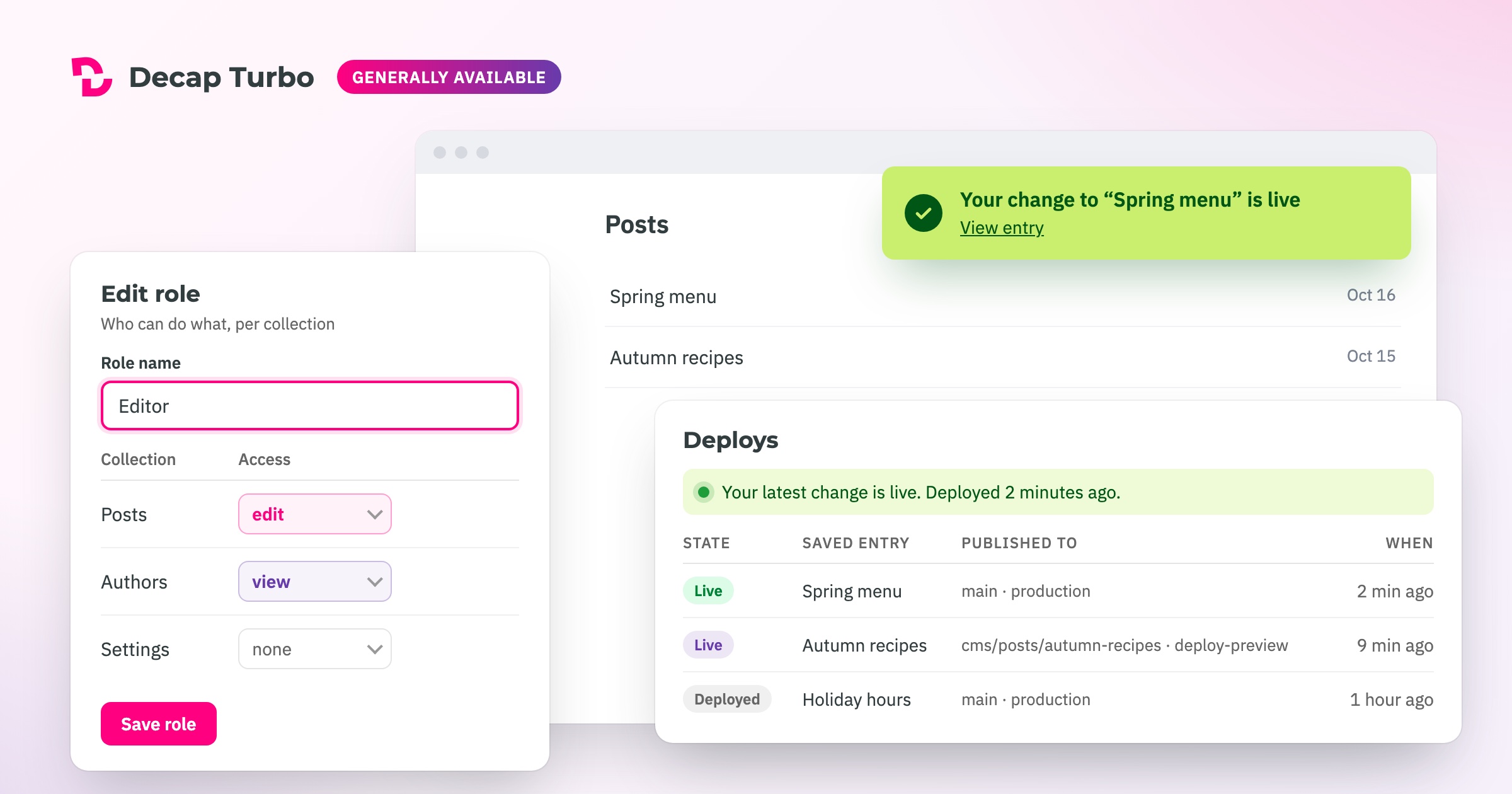
Decap Turbo is generally available. The Turbo backends shipped in Decap CMS 3.17.0 on 14 October, on the latest tag, in the same script tag and npm package you already use. The public preview is over, and so is the beta channel.
What Turbo is
Decap CMS is a free, open-source, Git-based CMS, and it stays exactly that. You can keep running it with your own backend and your own auth, forever, and nothing in this release changes that.
Decap Turbo is an optional hosted backend on top of it. You point your config.yml at Turbo, and it takes over the parts of a Decap setup that are hardest to run yourself: sign-in, access control, and the traffic between your editors and GitHub or GitLab.
What you get
Editors don’t need a GitHub or GitLab account. You invite them by email from the Turbo dashboard, and they sign in with a Turbo account. There is no OAuth app, auth server, or Git Gateway for you to maintain.
Large collections open fast. Without Turbo, the CMS asks your Git host for every entry one at a time, so it gets slower with every post you publish. Turbo keeps a cache of your repository’s content and serves a collection in a few requests. On a site with 205 entries in three languages, a collection opens in 2.4 seconds instead of 7.5, and a single entry in 1.2 seconds instead of 7.6.
No more rate limits. GitHub and GitLab limit API requests, and a busy team on a large site can hit them often. Turbo answers most requests from its own proxy database, so the CMS can get data faster.
Roles and permissions that hold. Organizations have owners and members, and each site has its own member list. Custom roles go further: for each collection, decide whether someone can edit it, only view it, or not see it at all. The rules are enforced on the server, not just hidden in the interface.
Your content stays in Git. Every save is still a commit on the branch you choose, credited to the editor who made it. The editorial workflow keeps working through pull requests or merge requests.
Editors know when a change is live. Saved is not the same as published. After a save, the CMS follows the deploy and tells the editor when their change is actually on the site. A Deploys page lists recent builds for when something hasn’t shipped. This works for GitHub-hosted sites today.
Deploy previews. With the editorial workflow, every entry in review gets its own cms/… branch, and most hosts build a preview of it. On GitHub-hosted sites, the Deploys page records those preview builds next to the published ones, so you can see whether an entry in review has a working preview and open it. A site’s admin URL can include a wildcard, such as https://*--your-site.netlify.app, so editors can sign in to the CMS on deploy previews and branch deploys too.
Media in your own bucket. The S3-compatible media library works with AWS S3, Cloudflare R2, Bunny Storage, or any other S3-compatible storage. Your storage keys stay on the server and never reach the browser. It is in beta, on Pro and above.
Site variables and secrets keep the credentials your site needs out of config.yml and out of your repository. Secrets are encrypted at rest and can be replaced, never read back. Pro and above.
An activity log shows owners who saved what, in which collection, on which site, and when.
Available for GitHub and GitLab. You connect your Git provider once per organization, then point each site at it. GitLab support covers GitLab.com; self-managed GitLab is not supported yet. Please contact us if you are interested in a different Git provider.
What changed since the preview
Going stable meant less adding features and more checking the ones we had. Before the release we reviewed the Turbo client and server end to end, tightened what the proxies accept and how permissions are enforced, and tested the result on real sites before it reached latest.
A lot of the work also landed in Decap CMS core, and it benefits every Decap site, Turbo or not. The release has fixes to the editorial workflow, i18n entries with missing locales, search, slug length, and notes on GitHub and GitLab. Version 3.17.1 also makes the decap-cms bundle about 384 KB smaller.
The full list is in the 3.17.0 release notes.
Plans
- Free — 1 site and 1 seat, free indefinitely, no credit card. It is the real product, not a demo, with fast collections, rate-limit shielding, deploy notifications and the activity log.
- Pro — €19 a month for 1 site and 5 seats, with extra sites at €10 and extra seats at €6 a month. Adds site variables and secrets, the S3-compatible media library, standard email support, and custom roles and priority support as add-ons.
- Enterprise — custom pricing for large teams and agencies: unlimited sites and seats (fair use), custom roles included, and dedicated support with an SLA.
You can try Pro free for 14 days on your first organization, again without a card. Prices are in EUR, billed monthly, tax included. The Turbo page has the full comparison.
Getting started
Sign up. Your organization starts on Free.
Connect your Git provider: install the Decap Turbo GitHub App, or authorize GitLab.
Create a site with its repository, branch, and admin URL, and copy its Site ID.
Point your
config.ymlat Turbo:backend: name: turbo-github # or turbo-gitlab turbo_site_id: your-site-idLoad Decap CMS 3.17.0 or later. The standard script tag already includes the Turbo backends:
<script src="https://cdn.jsdelivr.net/npm/decap-cms@^3.0.0/dist/decap-cms.js"></script>If you install from npm,
decap-cms-appincludes them too.Invite your editors from the dashboard.
Connecting a site walks through each step.
Coming from the preview
If your site loads decap-cms@beta or a pinned 3.17.0-beta.N, switch it to ^3.0.0. The beta tag now points at the stable release, but jsDelivr lets browsers keep a cached @beta bundle for up to a week, and a pinned beta never updates on its own.
What’s next
We’ll keep shipping Turbo features on a rolling basis. Deploy notifications for GitLab, and a media library built into core that can leave beta, are the next items on the list.
After that comes a decap command-line tool with a built-in MCP server. Anything you do in the Turbo dashboard, such as creating sites or inviting members, you’ll be able to do from a terminal. AI agents like Claude, Cursor or Codex will be able to do the same, and fill in fields in the entry you have open in the CMS. You still review the change and click Save. The features page shows what has shipped and what is in beta, and its roadmap shows what is coming.
If something breaks or feels wrong, use the Feedback form inside Turbo. It comes straight to us, and you can follow the status of what you reported. For Decap CMS itself, GitHub and Discord are still the place.
Thanks
To everyone who ran a real site on Turbo during the beta and the preview, and told us what was wrong: thank you. This release is much better because of you.
Developing Decap Turbo was made possible by the Promoting cultural and creative industries tender, run by Center za kreativnost (CzK). The investment is co-financed by the Republic of Slovenia and the European Union under the European Regional Development Fund.
Sign up for Turbo. The Free plan takes a minute and needs no card.