File
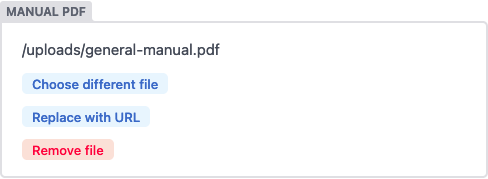
The file widget allows editors to upload a file or select an existing one from the media library. The path to the file will be saved to the field as a string.
Name: file
UI: file picker button opens media gallery
Data type: file path string
Options:
default: accepts a file path string; defaults to nullmedia_folder(Beta): file path where uploaded files will be saved specific to this control. Paths can be relative to a collection folder (e.g.fileswill add the file to a sub-folder in the collection folder) or absolute with reference to the base of the repo which needs to begin with/(e.g/static/fileswill save uploaded files to thestaticfolder in a sub folder namedfiles)public_folder(defaults to the value ofmedia_folder): specifies the folder path where the files uploaded for this control will be accessed, relative to the base of the built site. The value of the field is generated by prepending this path to the filename of the selected file.choose_url: (default:true) when set tofalse, the “Insert from URL” button will be hiddenmedia_library: media library settings to apply when a media library is opened by the current widget. It accepts these options:allow_multiple: (default:true) when set tofalse, prevents multiple selection for any media library extension, but must be supported by the extension in useconfig: a configuration object that will be passed directly to the media library being used - available options are determined by the library
media_folder, public_folder and choose_url are options of the field itself. Don’t put them under media_library.
Example
- label: "Manual PDF"
  name: "manual_pdf"
  widget: "file"
  default: "/uploads/general-manual.pdf"
  media_folder: "/static/files"
  public_folder: "/files"
  media_library:
    config:
      multiple: true
File Size Limit
You can set a limit to as what the maximum file size of a file is that users can upload directly into a file field.
Example
  media_library:
    config:
      max_file_size: 1024000 # in bytes, only for default media library
Result